Most problems we see with workplace coffee machines aren't breakdowns. They're machines that have quietly been under-cleaned for months: coffee tastes flat or bitter, milk drinks come out thin, and the drip tray smells. The good news is that a well-run bean-to-cup machine needs only a few minutes of attention a day. The trick is knowing which jobs belong to your team, which the machine will prompt you to do, and which should be left to an engineer.
This guide covers how to clean a bean-to-cup coffee machine in a workplace: the daily and weekly routine, descaling and water filters, and what a proper service visit should include. One rule overrides everything below: if your machine's on-screen prompts or manual say something different, follow the machine. Cleaning programmes and products vary between manufacturers. Using the wrong ones can damage parts and void a warranty.
The Short Answer: Three Layers of Cleaning
Think of bean-to-cup maintenance in three layers:
- Daily jobs for your team. Empty and rinse the grounds bin and drip tray, run the machine's rinse and milk-clean programmes, and wipe the outside and the dispensing area. Around five minutes at the end of the day.
- Prompted jobs. Cleaning tablet cycles, descaling and water filter changes. The machine tells you when they're due, based on how many drinks it has made and how hard your water is.
- Engineer jobs. Deep cleans, internal inspection, replacing worn seals and parts, and checking grind, dose and temperature. These need trained hands and the right parts.
Problems usually start when layer one slips, or when layer three doesn't exist because nobody owns the servicing. That's the main argument for a fully managed coffee service.
Daily: The Five-Minute End-of-Day Routine
Pick one person, or a rota, to own this. A job that belongs to "whoever's last out" tends not to get done.
- Empty the grounds bin. Used coffee pucks left overnight grow mould quickly, and the smell spreads into the machine. Rinse the bin and dry it before putting it back.
- Empty and wash the drip tray and grille. Use warm water and a mild washing-up liquid. Don't put parts in the dishwasher unless the manual says they're dishwasher-safe.
- Run the rinse programme. Most machines rinse the coffee pathway on switch-on and switch-off automatically. If yours asks, let it finish rather than turning it off mid-cycle.
- Clean the milk system. If the machine uses fresh milk, this is the most important job of the day. Milk residue left in the tubes and frother spoils fast and affects every milk drink that follows. Run the machine's milk-clean programme with the manufacturer's recommended milk system cleaner, and refrigerate or discard milk as the manual directs. Powdered milk machines don't need this, but the powder mixing area should be rinsed and the canister kept dry, because damp powder clumps and blocks the dispenser. Follow the prompts for your machine.
- Wipe the outside. Clean the spouts, the dispensing area and the touchscreen with a damp cloth. Fingerprints on the screen are the first thing a visitor notices.
Weekly: The Deeper Clean
Once a week, or when the machine prompts you:
- Run the cleaning tablet cycle. Coffee oils build up in the brew unit and pipework and turn rancid, making drinks taste bitter or stale. The cleaning tablet cycle dissolves them. Use only the tablets specified for your machine.
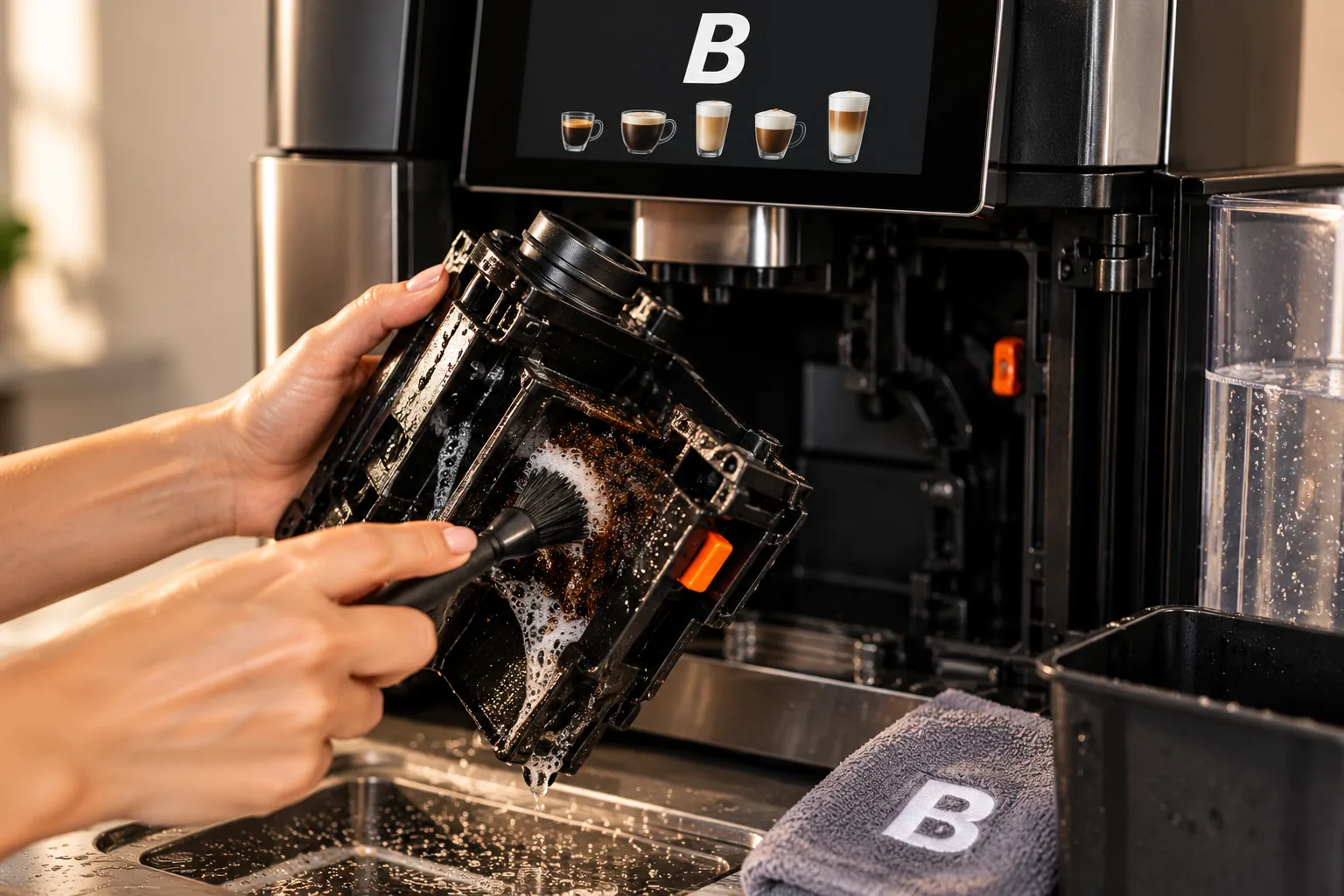
- Rinse the brew unit, if it's removable. Some machines let you take the brew unit out to rinse under running water. Others are fixed and cleaned by the tablet cycle alone. Check before you start pulling parts out.
- Check the bean hopper. Wipe out oily residue and any fragments with a dry cloth. Never put water in a hopper, and never put anything other than whole beans in it. Pre-ground coffee or flavoured beans with sugary coatings can clog the grinder.
- Clean the milk components more thoroughly. If your machine has removable milk parts, take them apart, soak them in the recommended cleaner and rinse them.
Descaling and Water Filters
Limescale is the slow killer of coffee machines, and much of the UK has hard water. Scale builds up inside the boiler or thermoblock and the pipework. It reduces heating efficiency, restricts water flow and eventually causes faults.
- Use a water filter. Most commercial bean-to-cup machines run with a filter, either a cartridge in the water tank or an inline filter on a plumbed-in machine. The filter reduces how often you need to descale. Replace it on schedule, since a spent filter does nothing.
- Descale when prompted. How often depends on your water hardness, your filter and your volume, which is why machines track it themselves. Use the manufacturer's descaler, and don't skip or interrupt the cycle.
- Set the water hardness correctly. On most machines this is configured at installation. If it was never set, the descale prompts will come too late.
What a Service Visit Should Cover
Daily and weekly cleaning keeps the machine hygienic. It doesn't keep it mechanically sound. Whether you have a service plan or pay per visit, a proper service should include:
- A deep clean of internal components your team can't reach
- Inspection and replacement of wear parts, such as seals, O-rings and gaskets, before they leak
- Checking and adjusting the grinder, since burrs wear and the grind drifts over time
- Checking the dose, extraction and drink temperature. Lukewarm drinks are one of the most common complaints about cheaper machines, and they're often a maintenance issue as much as a design one.
- Checking the water filter and the water hardness setting
- Software updates, where the manufacturer issues them
When you compare suppliers, ask exactly what a visit includes, how often visits happen, and whether parts and callouts are covered or charged separately. Our buying checklist covers the warranty and parts questions in more detail. Using unapproved cleaning products or skipping servicing are common reasons warranties are voided.
Signs Your Machine Needs Attention
Call your supplier, not a general handyman, if you notice:
- Bitter, burnt or flat-tasting coffee after a cleaning tablet cycle has been run
- Drinks noticeably cooler than they used to be
- Weak or watery shots, or the machine grinding but dispensing slowly
- Milk drinks with poor foam, or milk spitting from the frother
- Water pooling under the machine, or a drip tray that fills faster than usual
- Repeated error messages, or prompts that come back straight after you've cleared them
Many of these can be sorted with a phone call. Some need an engineer, and the earlier a worn seal or blocked pipe is caught, the cheaper it is to fix.
Mistakes That Shorten a Machine's Life
- Using vinegar or household descaler. It can damage seals and leave tastes behind. Use the manufacturer's products.
- Turning the machine off mid-cycle during a rinse, clean or descale.
- Oily, dark-roasted or flavoured beans. These can clog grinders and hoppers. Beans roasted for bean-to-cup machines run better. See the beans we supply.
- Ignoring prompts. "Clean later" turns into weeks.
- No named owner for cleaning. This is the most common cause of all.
How Blend 2 Vend Approaches This
We keep your team's part of this small. You can choose a machine that runs on fresh milk or powdered milk, depending on how much daily upkeep suits your site. When we install it, we train your staff on site, and the training covers the cleaning and maintenance routine for that machine, so the daily jobs take a few minutes and everyone knows what the prompts mean. Scheduled servicing and deep cleans are included, so the engineer-level work in layer three is ours, not yours.
We also restock automatically: beans, milk, cleaning tablets and the other consumables arrive on a schedule, so nobody runs a cleaning cycle with the wrong product because the right one ran out. If something isn't right, our 24-hour support line resolves around 99% of issues over the phone, with a next-day callout as standard if an engineer is needed. That's the same whether you take a machine on lease to own or buy it outright. See our services page for everything that's included.
Frequently Asked Questions
How often should you clean a bean-to-cup coffee machine? Empty the grounds bin and drip tray, and run the rinse and milk-clean programmes, every day. Run a cleaning tablet cycle weekly or when prompted, and descale when the machine tells you to. Engineer servicing and deep cleans happen on a schedule set by your supplier.
Can I use vinegar to descale a bean-to-cup machine? It's best not to. Vinegar can damage seals, leave a taste and may not be approved by the manufacturer, which can affect your warranty. Use the descaler specified for your machine.
Why does my bean-to-cup coffee taste bitter? The most common cause is coffee oil build-up in the brew unit and pipework, which a cleaning tablet cycle removes. If the taste persists after cleaning, the grind or brewing temperature may need adjusting. That's an engineer job.
Do I need to clean the milk system every day? If your machine uses fresh milk, yes. Milk residue spoils quickly, and a daily milk-clean programme is the single most important cleaning job. A powdered milk machine skips that step but still needs its mixing area rinsed and its canister kept dry, so follow the on-screen prompts.
Is a bean-to-cup machine more work than a pod machine? Slightly more each day, mainly emptying the grounds bin and running the cleaning programmes. In return you get fresh-ground coffee and a far lower cost per cup. With a managed service, the deep cleaning, servicing and restocking are handled for you, so the day-to-day effort stays at a few minutes.
Want the Machine Without the Maintenance Headache?
Book a free demo and taste test. We'll show your team the daily routine on the machine itself and explain exactly what our servicing covers.
Book a free demo → or speak to a specialist.